
Expert Help and Support at
Equirus Wealth
Help TopicsYour AccountLogin CredentialsHow To Close The Equirus Accou...

How to close the Equirus account?
To close your Equirus account on web, follow these steps:
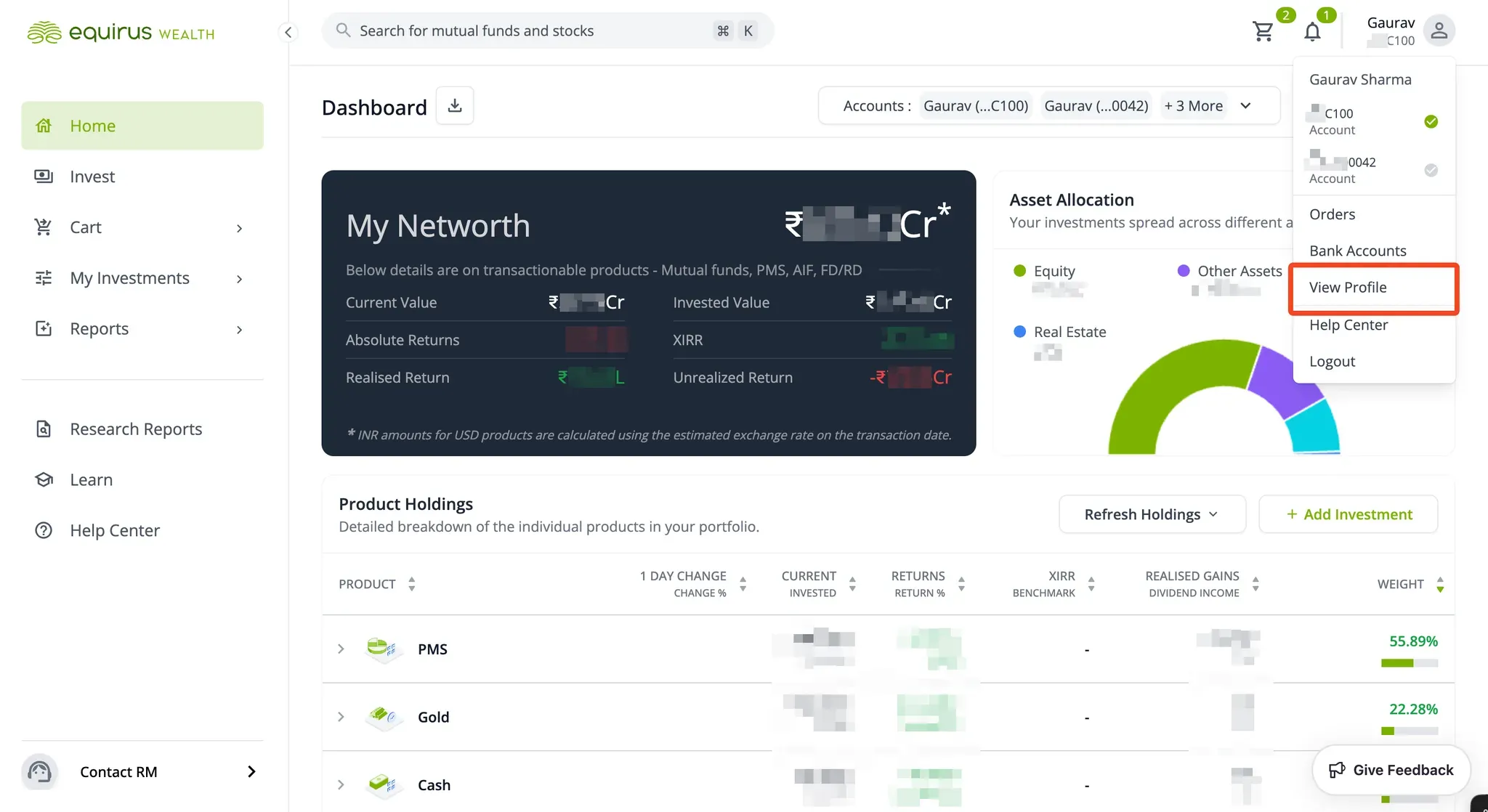
- Go to the User Profile menu and select "View Profile".
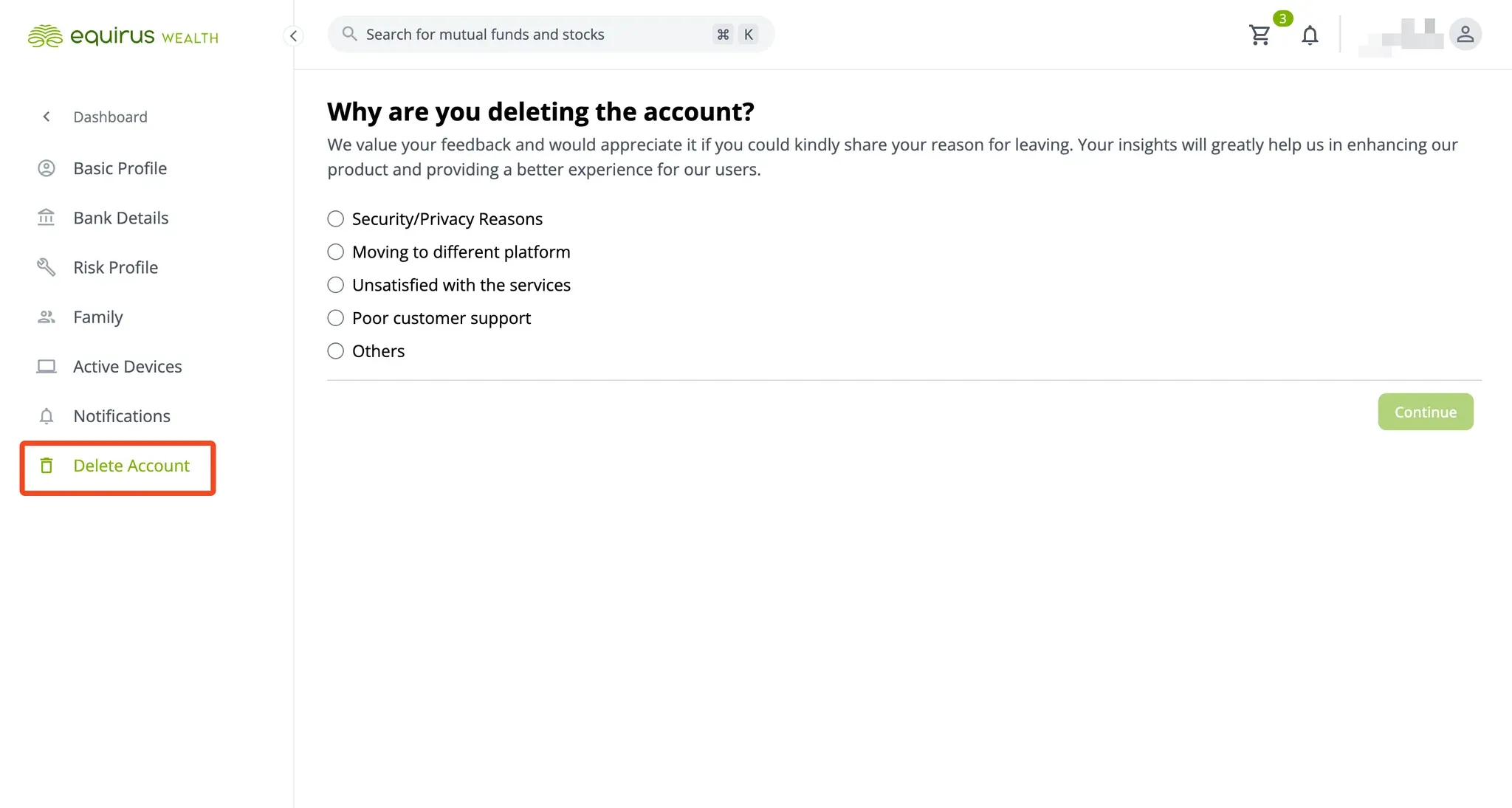
- From the sidebar, select "Delete Account".
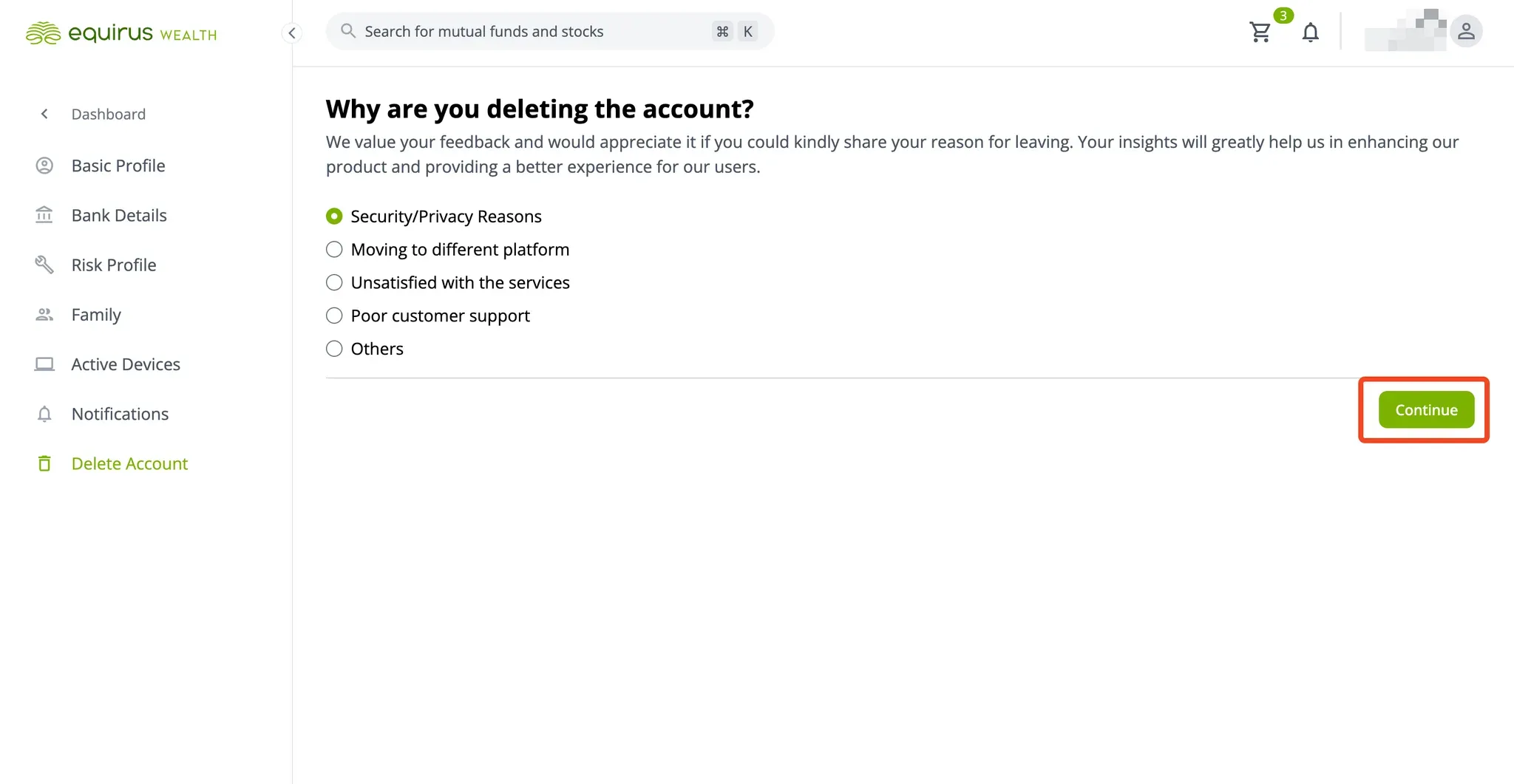
- Choose your reason for deleting the account and click "Continue".
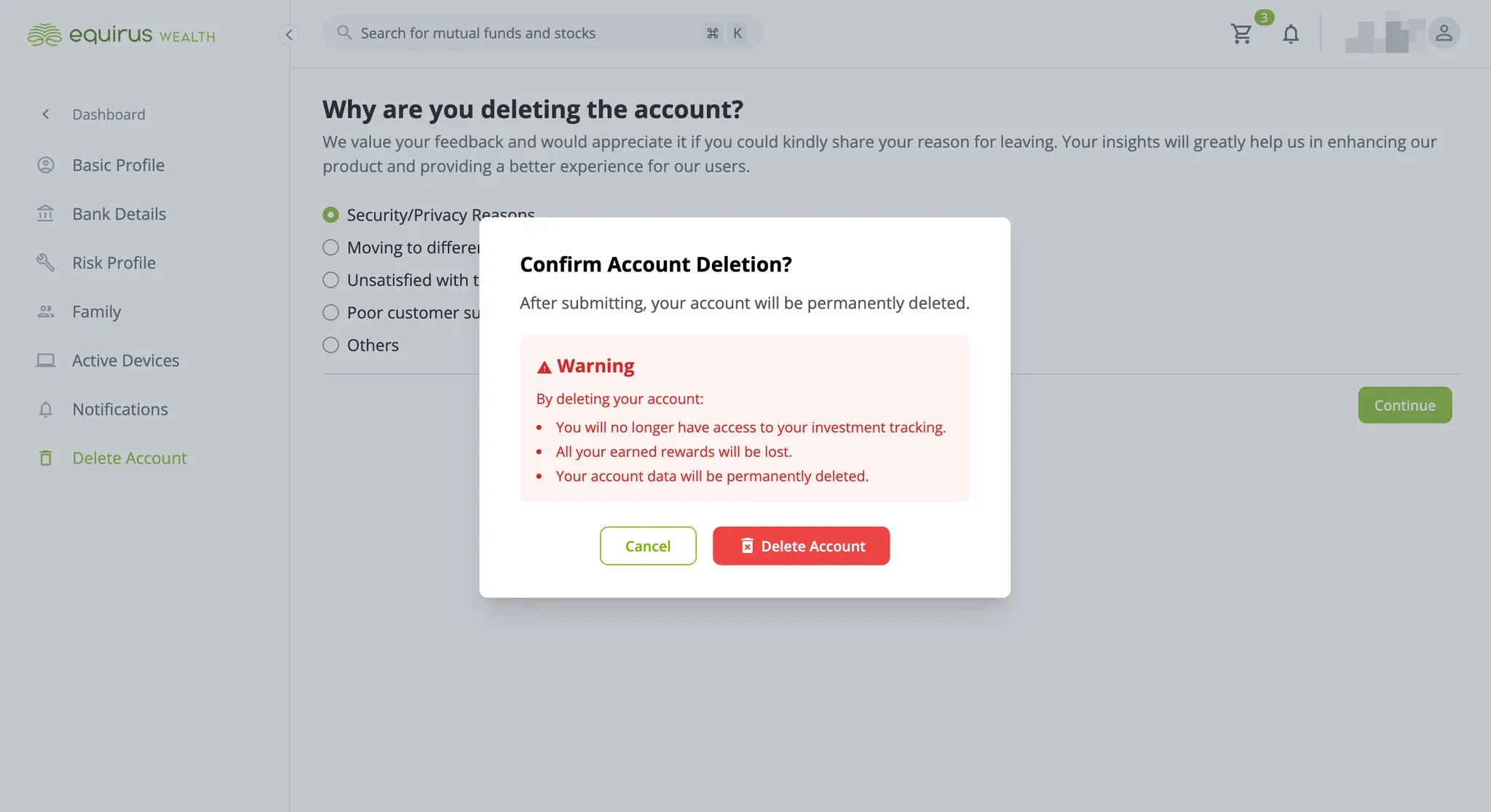
- A confirmation dialog box will appear.
- Click "Delete Account" to confirm and proceed with account deletion.
- Click "Cancel" if you wish to change your decision.
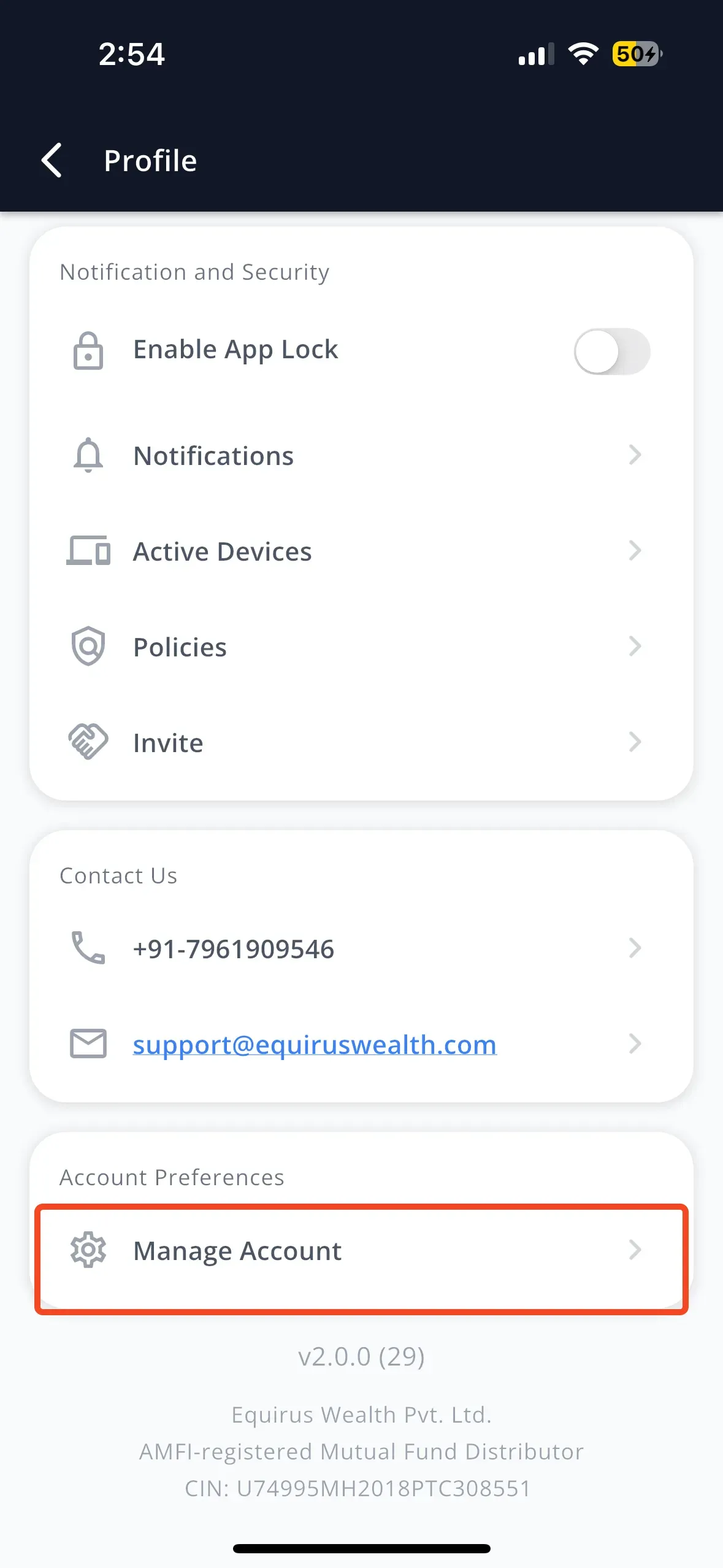
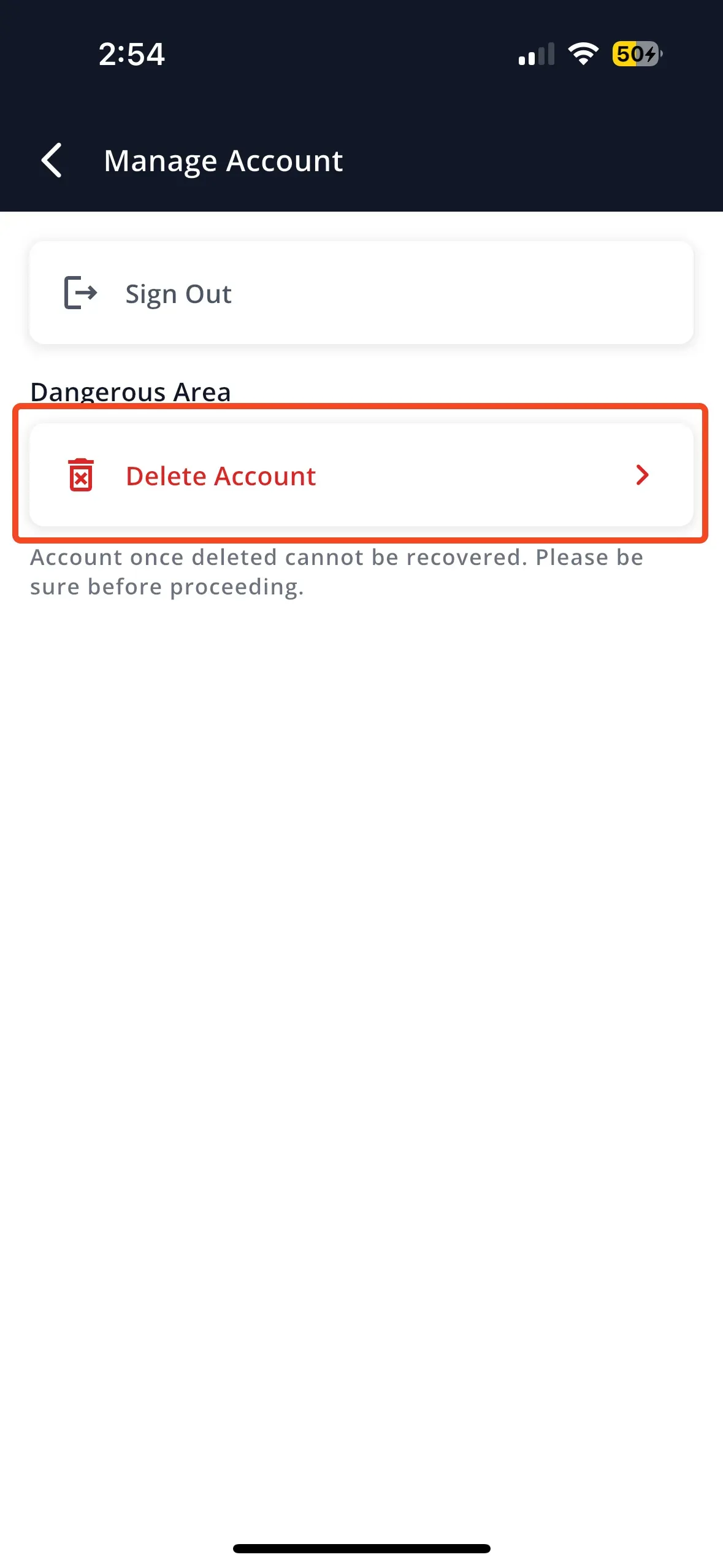
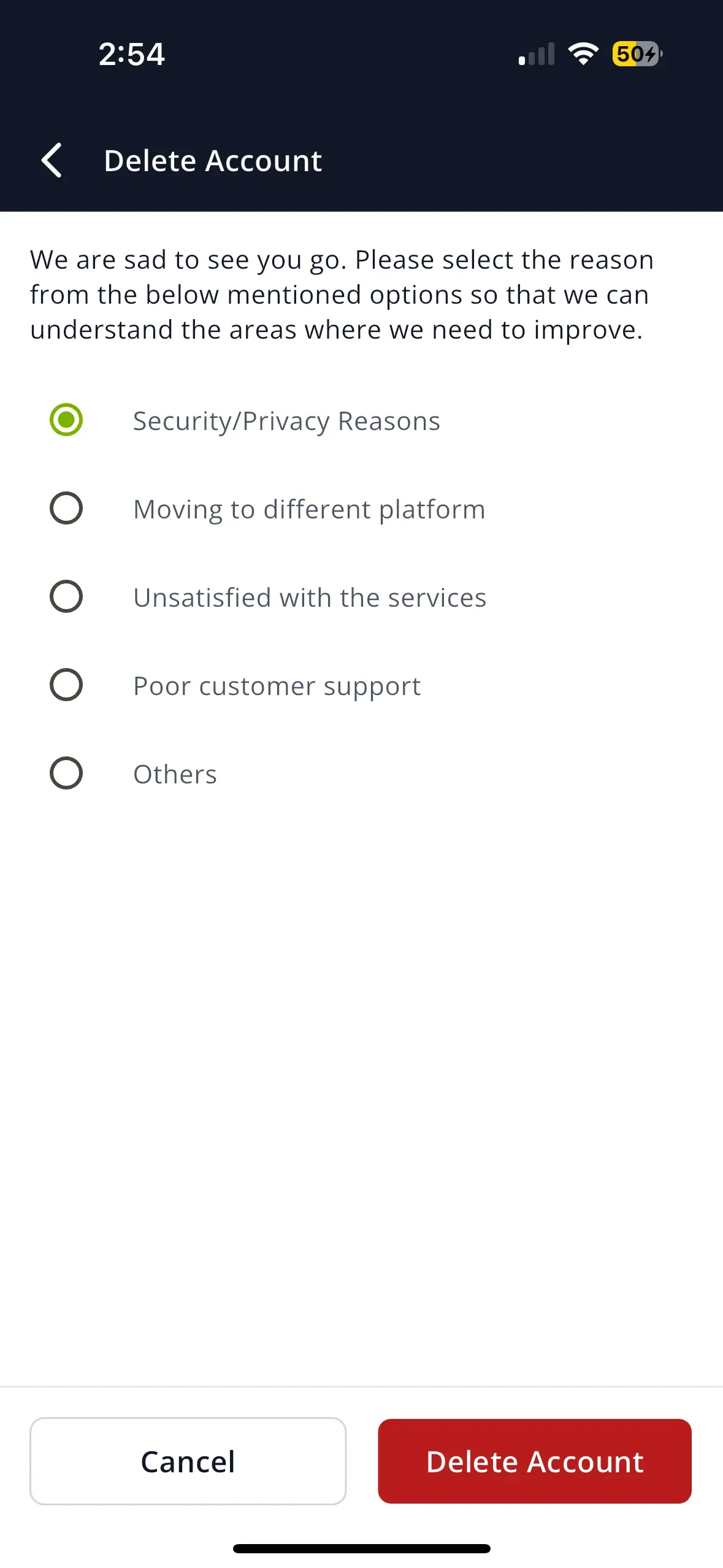
To close your Equirus account in the mobile app, follow these steps:
- Tap on the User Avatar icon to open the User Profile menu.
- Scroll down and select "Manage Account".
- Tap on "Delete Account".
- Choose your reason for deleting the account.
- Tap "Delete Account" to confirm your action.
- If you change your mind, tap "Cancel" instead.
Was this article useful?
How to close the Equirus account?
To close your Equirus account on web, follow these steps:
- Go to the User Profile menu and select "View Profile".
- From the sidebar, select "Delete Account".
- Choose your reason for deleting the account and click "Continue".
- A confirmation dialog box will appear.
- Click "Delete Account" to confirm and proceed with account deletion.
- Click "Cancel" if you wish to change your decision.
To close your Equirus account in the mobile app, follow these steps:
- Tap on the User Avatar icon to open the User Profile menu.
- Scroll down and select "Manage Account".
- Tap on "Delete Account".
- Choose your reason for deleting the account.
- Tap "Delete Account" to confirm your action.
- If you change your mind, tap "Cancel" instead.
Was this article useful?
